<?xml encoding=”UTF-8″>
Free YouTube Thumbnail Tool: The Game-Changer Your Channel Desperately Needs
Let’s be real for a second. You’ve probably spent hours crafting the perfect YouTube video, editing until your eyes hurt, and writing what you thought was a killer title. But then… crickets. Your view count stays embarrassingly low, and you’re left wondering what went wrong.
Here’s the harsh truth: it doesn’t matter how amazing your content is if nobody clicks on it. And what’s the first thing people see when they’re scrolling through YouTube? Your thumbnail. That little rectangular image is basically a billboard for your video, and if it sucks, you’re toast.
Why YouTube Thumbnails Are Your Make-or-Break Moment
Think about your own YouTube browsing habits for a minute. You finish watching a video, and YouTube serves up a bunch of recommendations. What makes you click on one video over another? Sure, the title matters, but let’s be honest – it’s that thumbnail that catches your eye first.
Your thumbnail is competing with dozens of other videos for attention. It’s like being at a crowded party where everyone’s trying to get noticed. If you’re wearing a boring gray outfit while everyone else is in bright colors, guess who’s getting ignored?
Studies have shown that viewers make split-second decisions about whether to watch a video based almost entirely on visual cues. Your thumbnail has literally milliseconds to communicate value, excitement, and relevance. That’s an enormous amount of pressure for such a small image, but it’s also your biggest opportunity to stand out from the crowd.
Consider this: successful YouTubers often spend as much time on their thumbnails as they do on their titles. They understand that even the most engaging content won’t get discovered if the thumbnail doesn’t do its job. It’s not vanity – it’s smart business strategy.
The brutal reality is this: no eye-catching thumbnail equals no free traffic. And we all know no free traffic sucks big time. That’s the whole point of putting videos on YouTube in the first place – to get those sweet, sweet free eyeballs on your content.
The Problem Most YouTubers Face

Here’s where things get tricky. Creating professional-looking thumbnails isn’t exactly easy. Most people either don’t have design skills or can’t afford to hire a graphic designer for every single video. Some folks try using complicated software like Photoshop, but let’s face it – not everyone’s got time to become a design wizard.
The learning curve for traditional design software can be incredibly steep. You’re not just learning tools – you’re trying to understand color psychology, typography, composition, and visual hierarchy. Meanwhile, you’ve got videos to edit, content to plan, and a channel to grow. Something’s gotta give, and unfortunately, it’s usually the thumbnail quality that suffers.
Then there’s the cost factor. Professional designers can charge anywhere from $10 to $50 per thumbnail. If you’re uploading consistently, those costs add up fast. For a new YouTuber just starting out, spending hundreds of dollars monthly on thumbnails simply isn’t realistic.
You might be thinking, “Can’t I just use a screenshot from my video?” Well, you could, but that’s like bringing a butter knife to a gunfight. Those auto-generated thumbnails rarely grab attention, and they definitely don’t make people want to click.
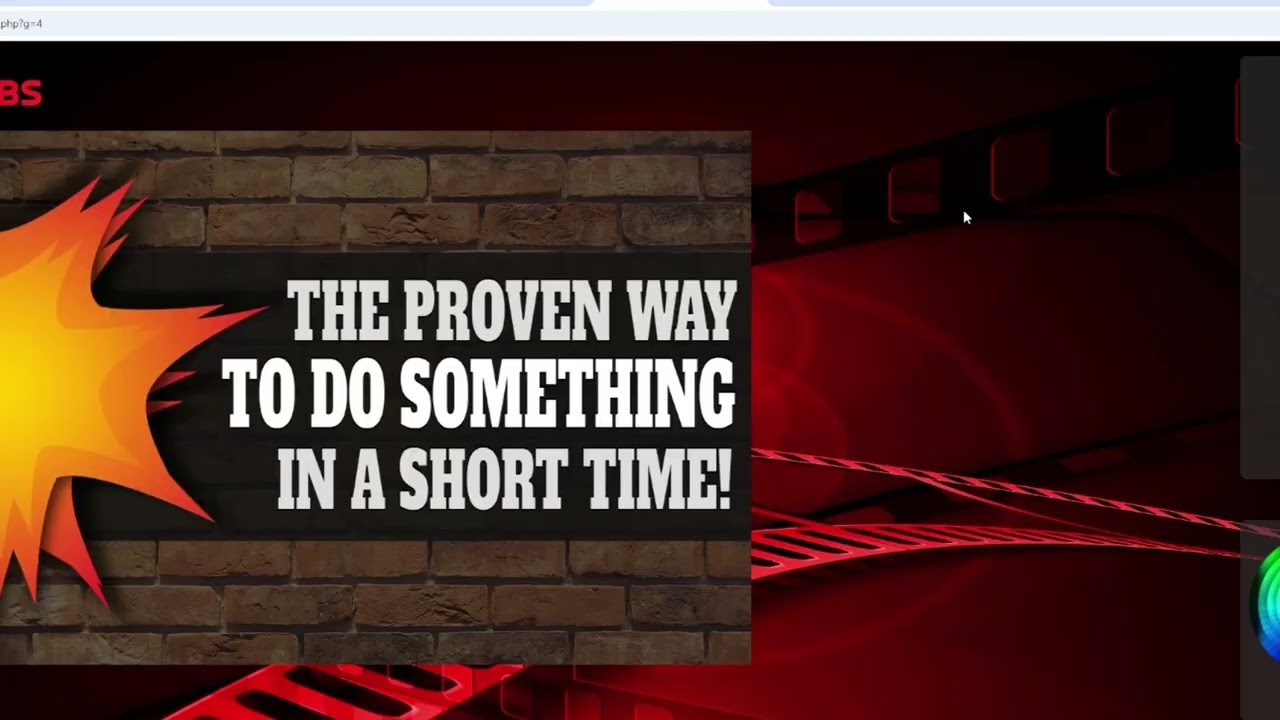
This is exactly why tools like All Thumbs exist. It’s a free YouTube thumbnail tool that’s designed to solve this exact problem without requiring you to learn rocket science or break the bank.
What Makes All Thumbs Different
All Thumbs takes a completely different approach. Instead of forcing you to start from scratch or learn complicated design principles, it gives you professionally designed templates that you can customize in minutes. We’re talking drag-and-drop simplicity here.
The beauty of this system is that it’s built with real YouTubers in mind. Brett, the creator, actually uses this tool for his own business. He’s not some random developer who’s never uploaded a YouTube video – he’s someone who understands the struggle of trying to get views and engagement.
What’s even more impressive is that he decided to give this tool away completely free. No catch, no hidden fees, no “upgrade to premium” nonsense. It’s genuinely free because he wants to help other content creators succeed.
How the Drag-and-Drop Magic Works
Using All Thumbs is honestly as easy as pie. You start by picking one of their pre-made templates. These aren’t just random designs – they’re specifically created to grab attention and get clicks on YouTube.
Once you’ve selected a template, the drag-and-drop editor opens up. This is where the magic happens. You can click on any element you want to change, and a panel opens up on the right with all your customization options. Want to change the text? Click and type. Need to swap out an image? Upload your own or browse their clip art library.
The whole process is point-and-click simple. You don’t need to understand layers, color theory, or typography. The system handles all the technical stuff while you focus on making your thumbnail look awesome.
Features That Actually Matter
Let’s talk about what you can actually do with this free YouTube thumbnail tool. First off, you can completely customize everything. Change colors, fonts, sizes – whatever you need to make the thumbnail match your brand or video content.
The built-in clip art library is a game-changer. Instead of hunting around the internet for images you can legally use, everything’s right there in the system. Plus, you can upload your own images if you’ve got specific photos or graphics you want to include.
Adding text is super straightforward too. You can create attention-grabbing headlines, add your channel name, or include any other text that’ll make people want to click. The system gives you tons of font options and styling choices.
When you’re done creating your masterpiece, exporting is just one click away. Download it to your computer, and you’re ready to upload it with your YouTube video.
The Real-World Impact
Here’s something most people don’t realize: a good thumbnail can literally make or break your video’s success. I’ve seen videos with mediocre content get hundreds of thousands of views simply because they had killer thumbnails. On the flip side, I’ve watched amazing videos struggle to get noticed because their thumbnails looked like they were made in Microsoft Paint.
Think about it from YouTube’s perspective too. Their algorithm wants to promote videos that get clicked on. If your thumbnail isn’t generating clicks, YouTube’s gonna assume your content isn’t worth recommending. It’s a vicious cycle that starts with that little rectangular image.
Using a professional-looking thumbnail tool like All Thumbs can completely change your game. Suddenly, you’re competing on the same level as channels with big budgets and professional designers.
Why Free Actually Makes Sense
You might be wondering why someone would give away a tool like this for free. It’s actually pretty smart when you think about it. Brett’s building goodwill in the YouTube community, and successful YouTubers often become customers for other products and services down the line.
Plus, there’s something to be said for genuinely wanting to help people succeed. The YouTube space can be tough, especially for newcomers. Having access to professional-quality thumbnail creation levels the playing field a bit.
The fact that there are no limits, no upgrades, and no hidden costs makes this even more valuable. You can create as many thumbnails as you want without worrying about hitting some arbitrary limit.
Claim Yours Here, You Lucky One
Getting Started Is Ridiculously Easy
If you’re ready to stop letting bad thumbnails kill your view count, getting started with All Thumbs couldn’t be simpler. The interface is intuitive enough that you’ll probably figure it out without any tutorials, but if you need help, the system is designed to be self-explanatory.
The best part? You can start creating better thumbnails literally today. No waiting for approval, no lengthy signup process, no credit card required. Just jump in and start making thumbnails that actually get clicks.
Your YouTube channel deserves thumbnails that make people stop scrolling and start watching. With tools like All Thumbs available for free, there’s really no excuse for settling for boring, click-repelling thumbnails anymore.
Ready to transform your YouTube game? Claim Yours Here, You Lucky One and start creating thumbnails that actually get results.